
Productlane changelog
Scale Update

We’re excited to launch a major update to let you handle customer support at scale: A new sync engine with a 50ms UI, a redesign of almost every part of the application, an improved AI Help Center, Agent upgrades, and Reporting.
New Sync Engine
Since launching customer support in Productlane, many teams have moved all their customer conversations to us. They quickly had thousands of emails, live chat, and Slack messages in their workspace, and the initial load time slowed down more than we wanted.
That's why we decided to rebuild major parts of our architecture so the app can load only the data needed at the moment. It took a lot of time, but it was worth it. The backend is much more robust now, and the app is incredibly fast.
Even our largest workspaces now load in under 3-4 seconds with an avg. response time of 50ms. Big shoutout to our friends from Zero helping us implement this sync engine.
Redesign
This update comes with a redesign that touches almost every part of Productlane. The inbox, help center, roadmap, support portal, and changelog are now heavily simplified, have a new look, increased contrast, and optimized typography.
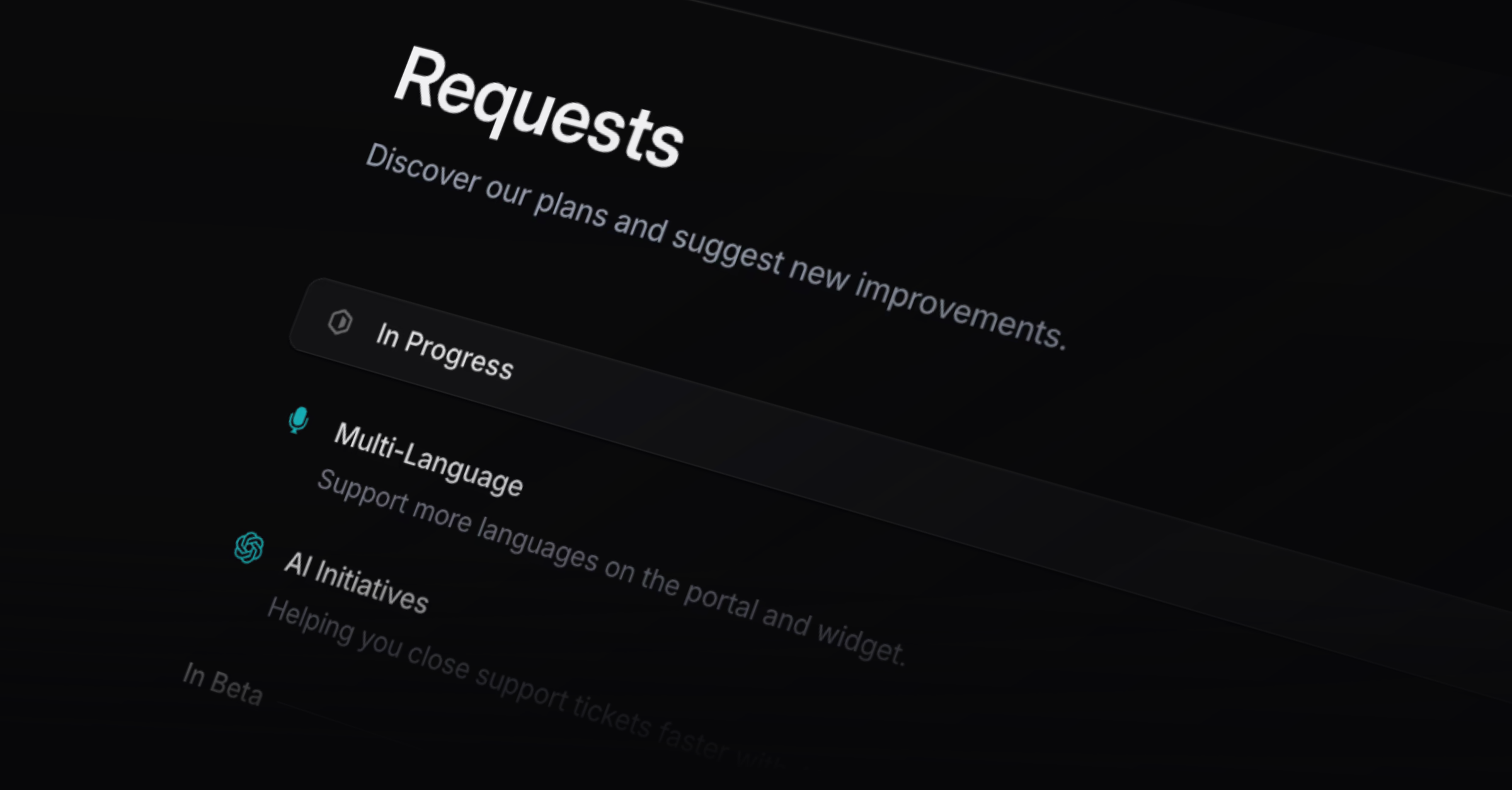
Your feedback portal is now called “Requests” and is simpler to use. We replaced the form on the left that filtered existing requests while you typed with a new request button and a search to make the experience simpler.
AI Help Center
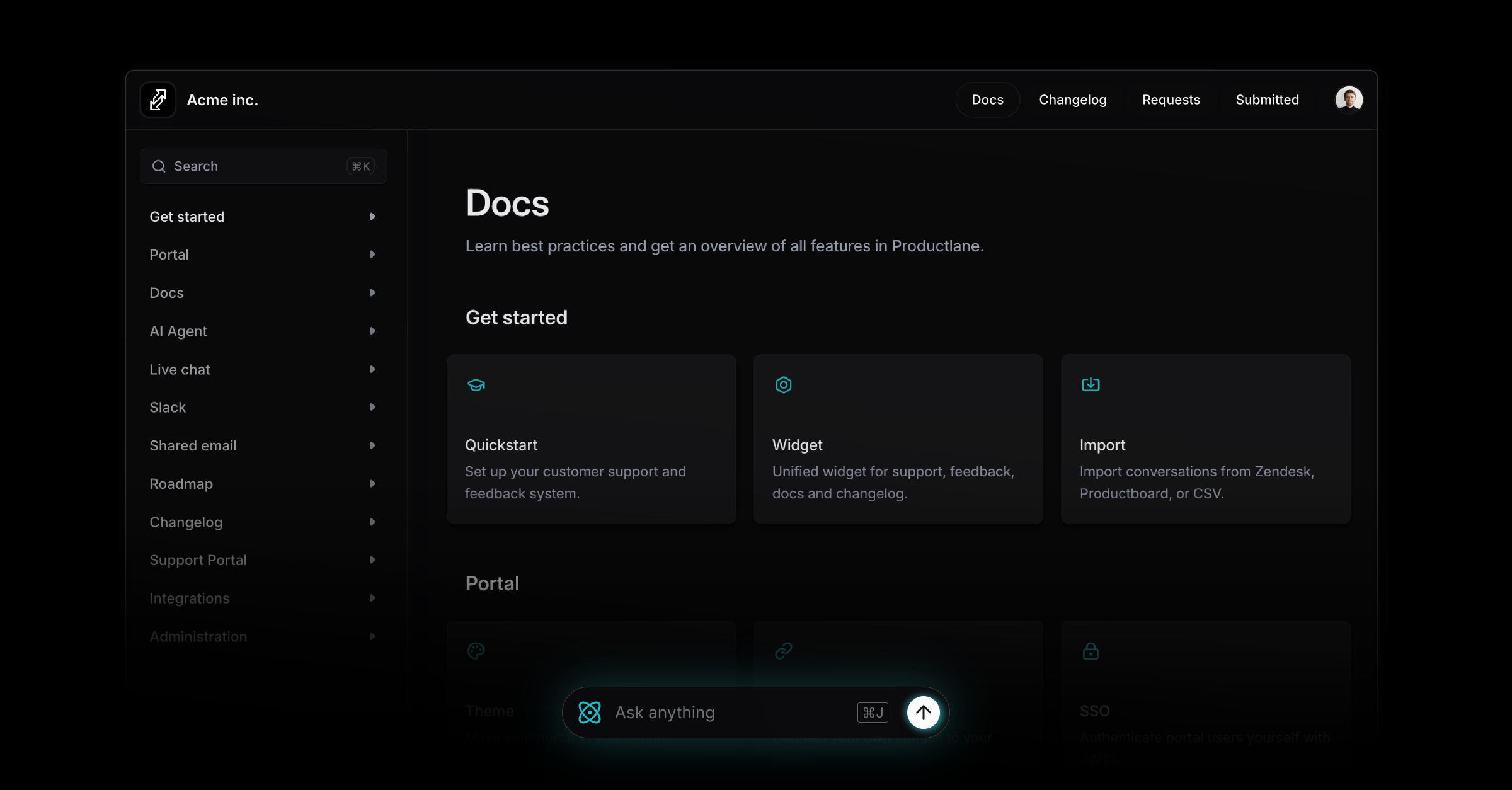
The Help Center has a refreshed design with deeper AI support. The Agent now sits at the bottom of every article, ready to answer follow-up questions immediately.
Articles inside the widget use the same AI bar, and each article includes a new button to let you copy it as Markdown for LLMs, making your content easier to index and reuse.
Reporting
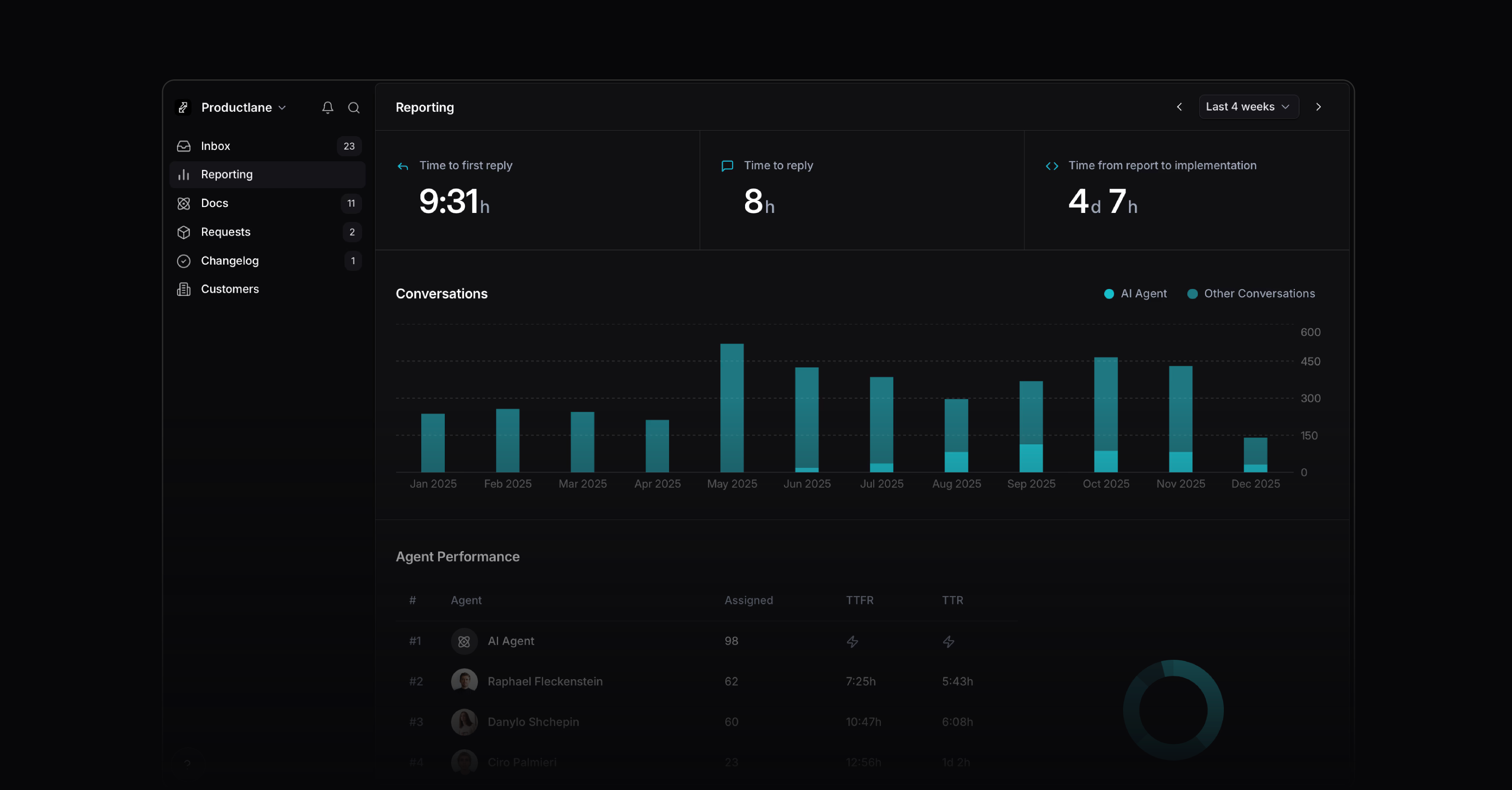
A new Reporting view helps you ensure a great customer experience as you scale your support. It gives you a clear view of your team's performance across the entire support workflow, with a focus on your AI agent's resolution rate.
It includes what was previously on your tags page and adds the most relevant customer support metrics, such as first response, time to resolution, and time from request to implementation. The agent performance shows how each teammate is doing: workload, conversation count, and response times in one view.
Improved AI Agent
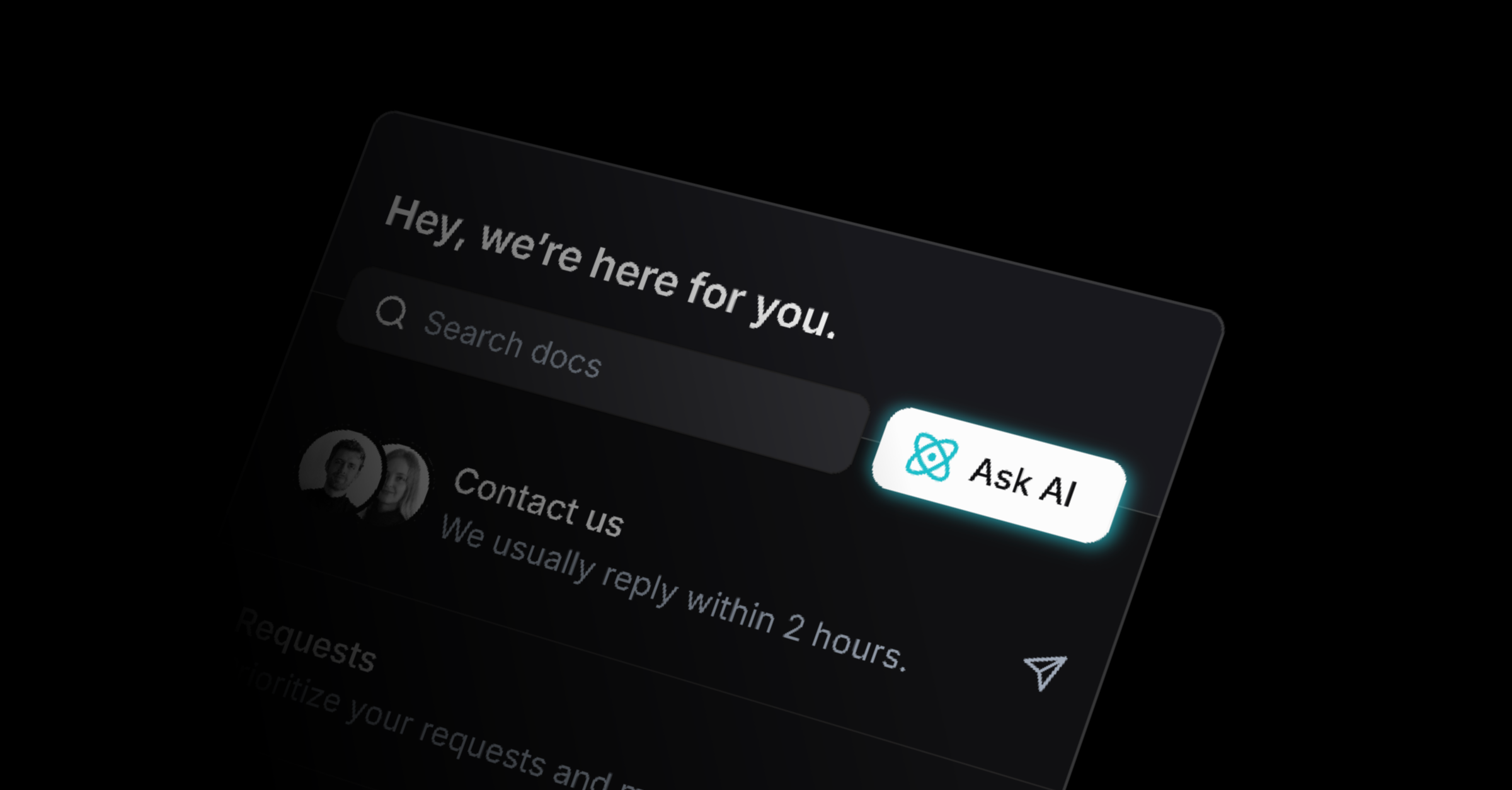
We upgraded the model behind our AI Agent. It answers more accurately, resolves more cases on the first reply, and stays fast. It also handles multi-step conversations better, remembers context more reliably, and manages complex questions better.
More improvements
Linear integration: Upvotes now also create customer requests in Linear
Linear integration: Now all customer requests from Linear are synched
Docs: Embed a custom iFrame in your help center for demos and forms
API: Cancelled issues now trigger the feedback loop closing
API: Included tagging in API
SSO: Added a redirect so users land on the intended portal page after sign-in
Inbox: New inbox flow so you can triage faster with clearer states
Inbox: Hide email history under the overflow menu to reduce page noise
Interface: Added counters to the navigation for Changelog, Requests and Docs
Interface: New Empty states with more contrast and clarity
Search: Search experience improved for more relevant results
Settings: Option to disable automatic company assignment
Settings: Hide all items on roadmap if no Linear team is selected
Widget: Increase widget icon contrast for better accessibility
Fixes
Slack: Slack threads no longer show “unknown user” on profile pictures
Bug: Widget event handling stabilized to prevent missed interactions
Bug: Changelog notifications now resize with images correctly
Bug: Widget loads correctly when CORS/CORP is enforced
Bug: Slack sending stabilized across workspaces
Bug: Customer properties load and update as expected