
Productlane changelog
Self-updating Help Center
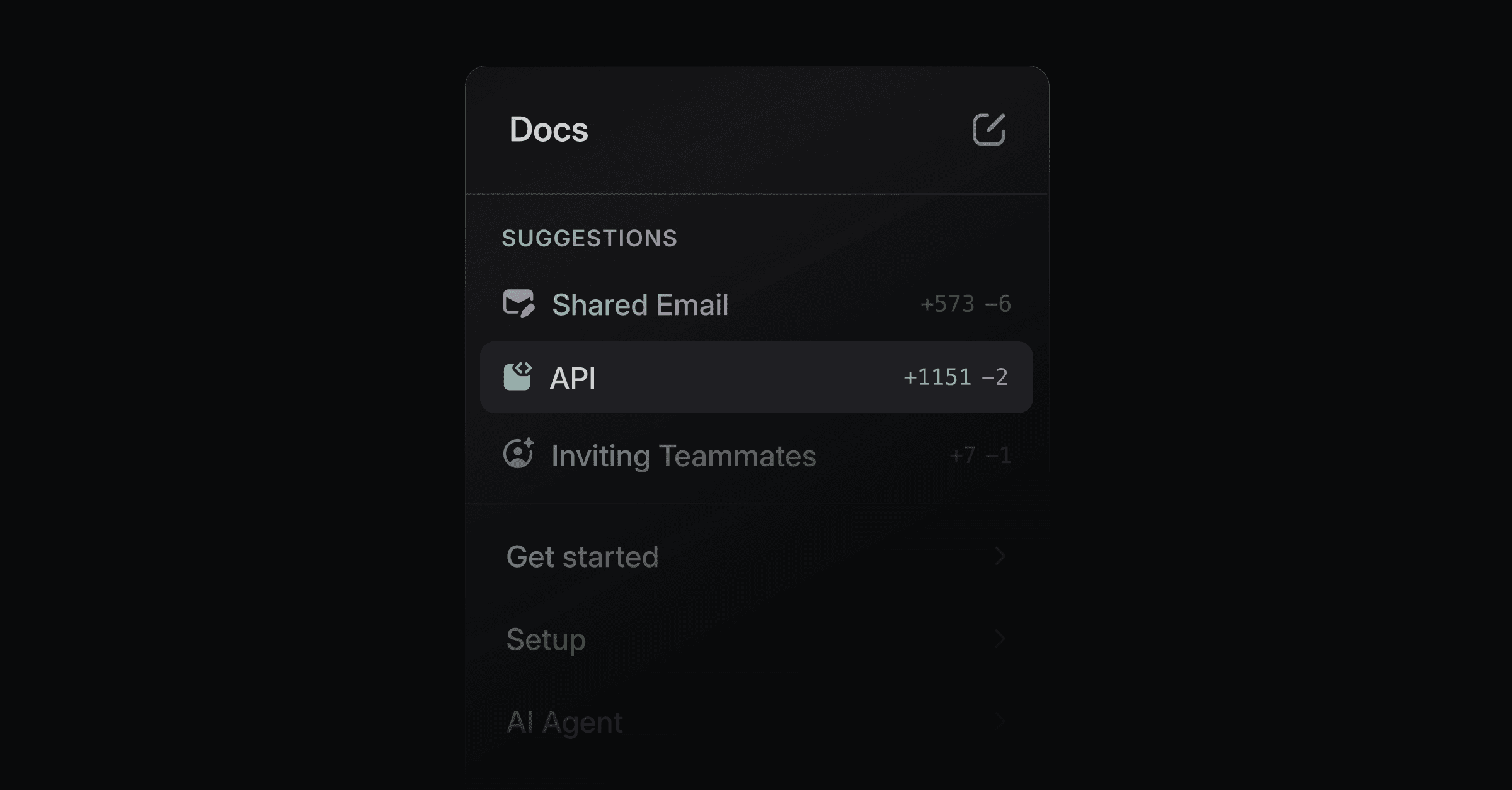
Productlane now updates your Help Center for you. The AI agent learns from your past support conversations, code changes in GitHub, and completed Linear issues and writes the articles your docs are missing, ready for you to review. Connect your repository in Settings > Integrations > GitHub to start.
Sourced from GitHub, Linear, and support threads
Three signals feed the agent. A merged commit drafts a new article or updates the one it affects. A closed Linear issue arrives with a draft ready to review. A resolved support thread becomes a new entry, or a suggested edit when the conversation exposes a gap in what you already published.
Review and approve in a lightning fast UI
Proposals collect in a Suggestions panel at the top of your docs sidebar. Each row shows the line diff at a glance: +173 is lines added, -39 is lines removed.
Open one and the full review view takes over. The article sits on the left with every proposed change highlighted in place. A rail on the right lists each edit on its own, and hovering a card lights up exactly where it lands in the text.
Accept, and the article publishes to your portal. Each group in your navigation carries a counter of the drafts still waiting inside it.
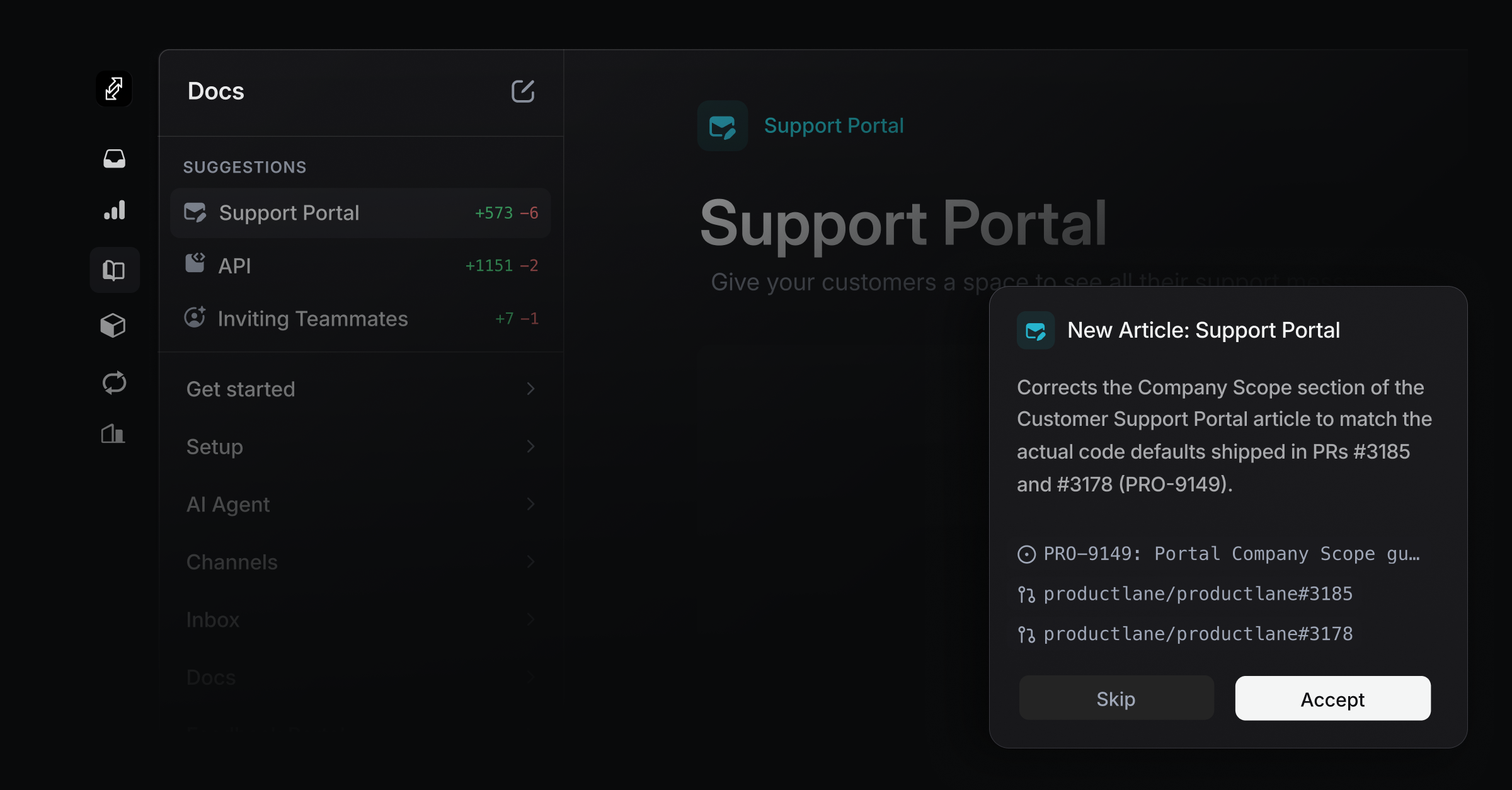
Generate your Help Center with Claude Code or Codex
Connect Productlane over MCP and point Claude Code or Codex at your repo: "Review the codebase and every past conversation in Productlane, then write our Help Center." The agent drafts the full set of articles, and you review them through the same Suggestions panel.
Bring an existing Help Center with you: import from Markdown or CSV under Settings > Import/Export, and the agent maintains it from there.