
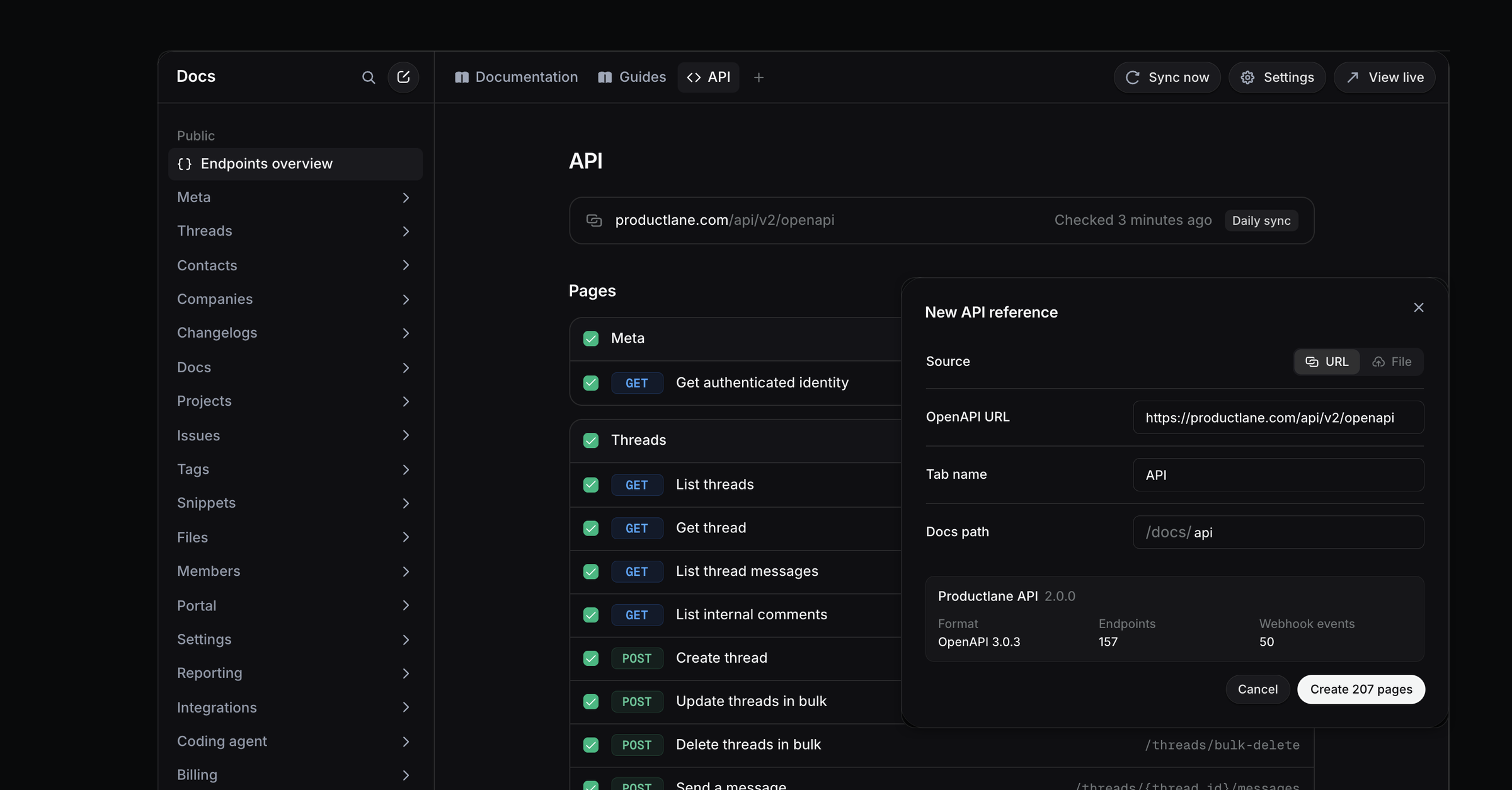
Productlane turns your OpenAPI spec into an API reference on your docs site. Every endpoint and every webhook event gets its own page. The reference sits in a tab of its own, and Productlane checks the spec for changes once a day.
Before you start
The spec is OpenAPI 3.0 or 3.1, in JSON or YAML, up to 20 MB.
A link points at the raw file on a public
httpsaddress. A link to a rendered docs page fails the check.Swagger 2.0 needs converting to OpenAPI 3 first.
Each portal holds one API reference. To share the API reference without the rest of your docs, give it a portal of its own with Multiple Portals. Each portal has its own access settings, so that portal can stay public while your other portals require SSO.
Create the API reference
Open Docs and click + at the end of the tab bar, then pick API reference.
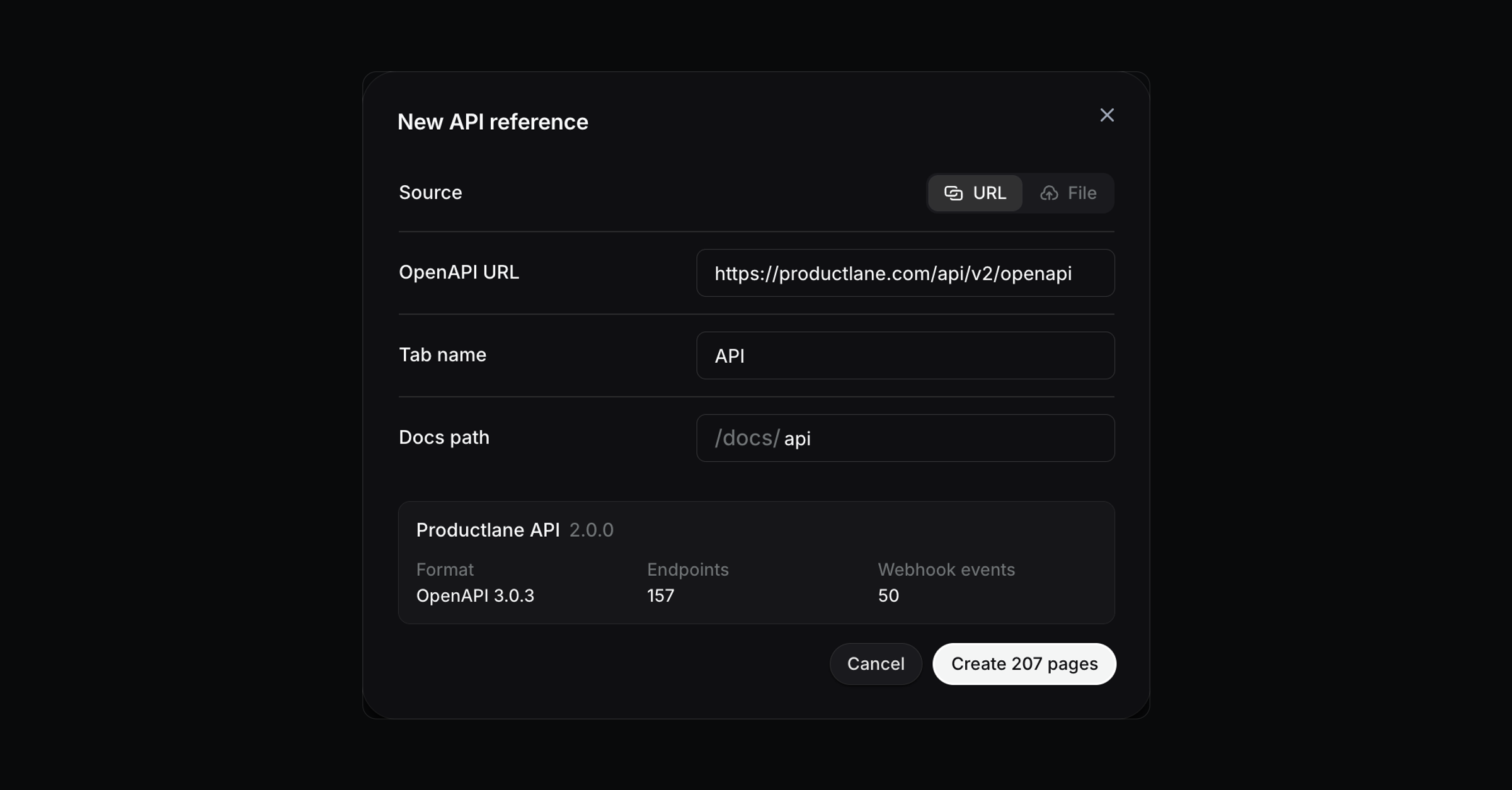
Under Source, pick URL and paste the link to your spec. Pick File to upload a
.jsonor.yamlfile instead.Name the tab and set the Docs path. A path of
apiputs the reference at/docs/api.Click Check spec. The preview shows the API's title and version, with a count of endpoints and webhook events.
Click the create button.
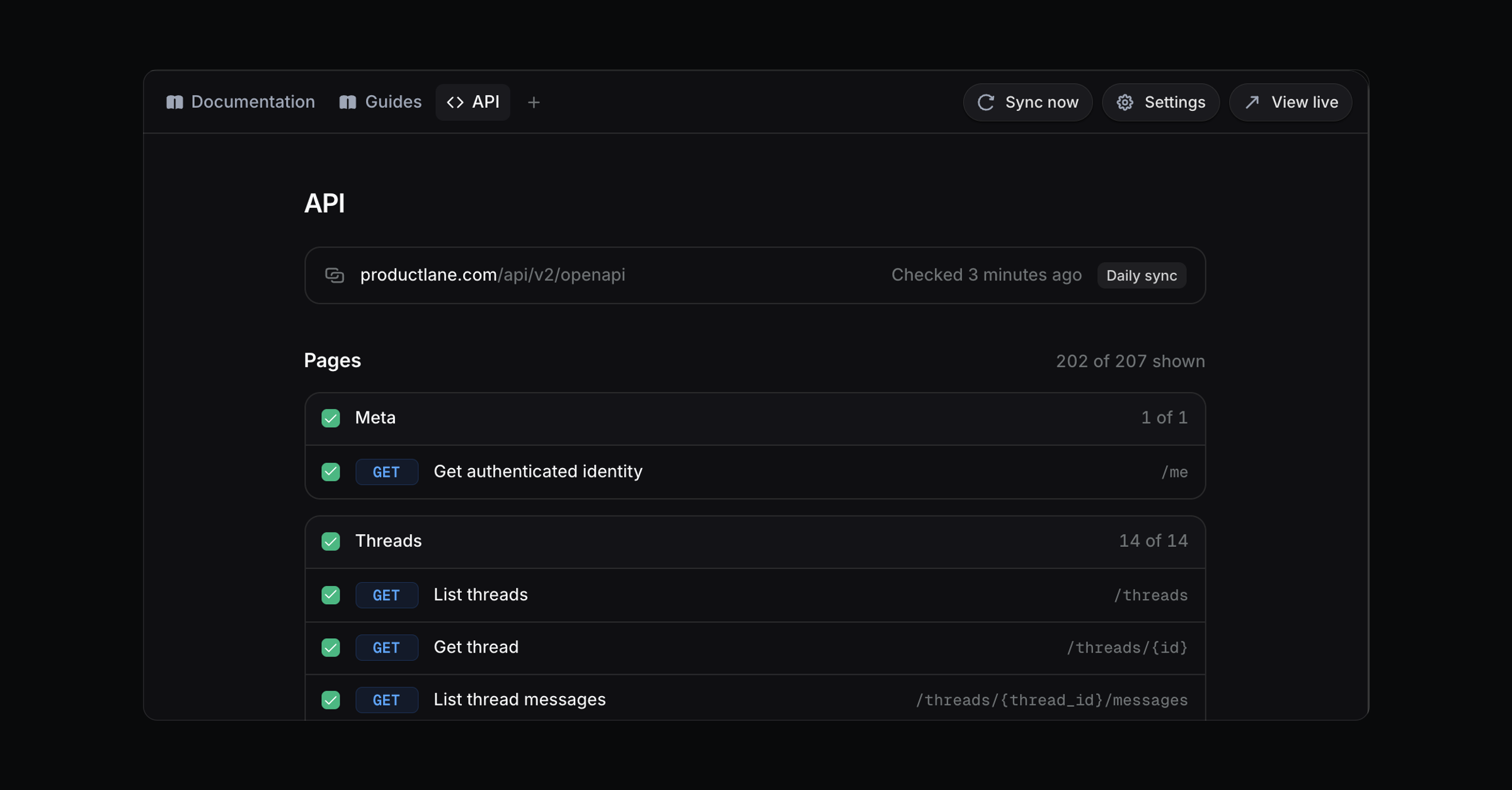
The new tab starts as a draft, so only your team sees it. Click Publish tab when it's ready. View live then opens the reference on your docs site.
What readers get
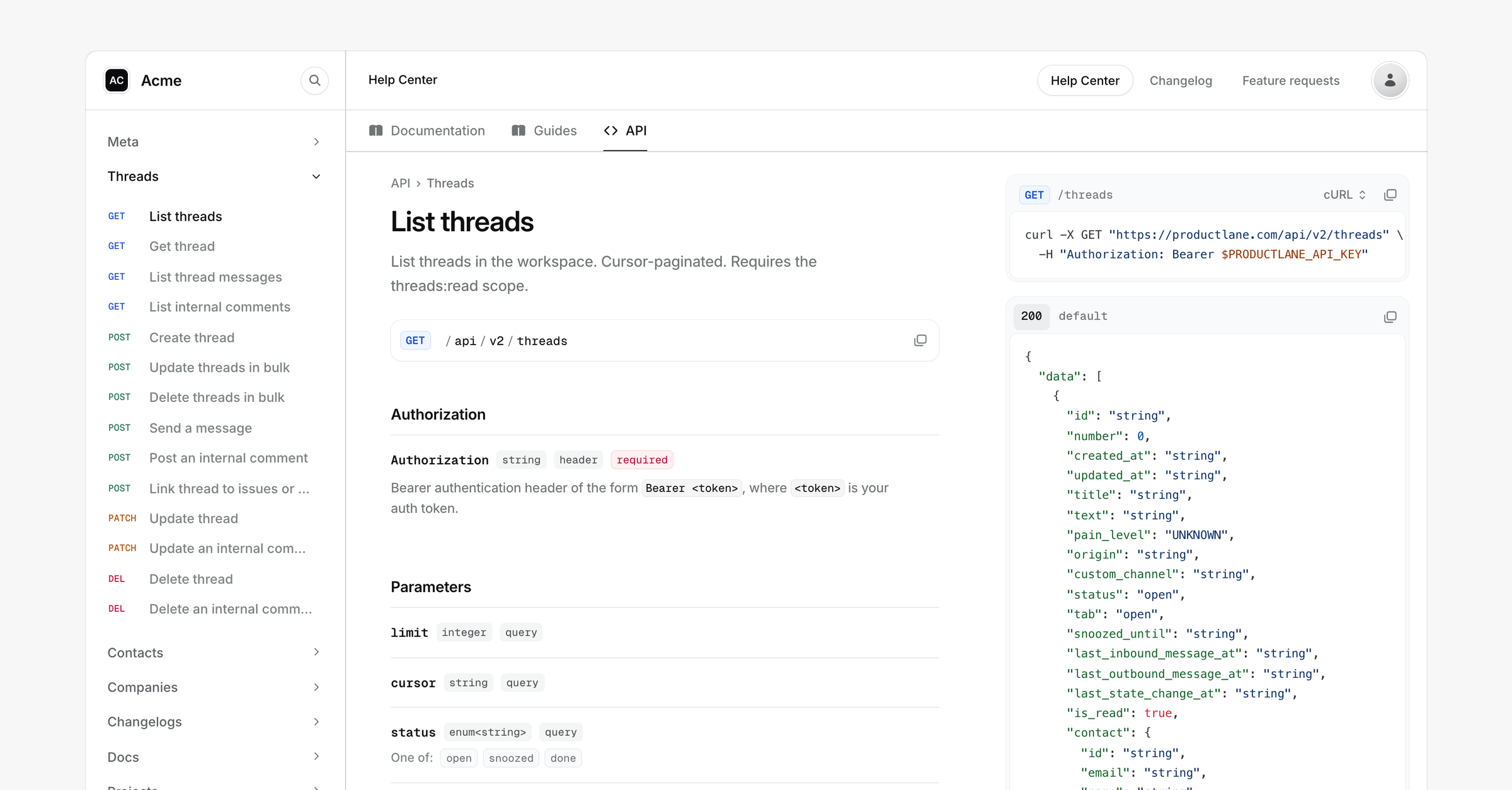
The tab opens on an overview with your base URL, the authorization scheme and a card for each group of endpoints.
Each endpoint page shows the method and path, then the parameters, the request body and the responses. An example response sits next to them. Readers copy the request as cURL, JavaScript or Python.
Webhook events get a page each under Webhook events, with an example payload.
Your docs search finds endpoints too, with the method and path in each result. The Productlane Agent also reads the reference, so it answers integration questions with the exact endpoint and links to its page.
How pages are grouped
Productlane groups endpoints by the first tag on each operation.
Groups follow the order of the
tagslist in your spec. Anx-displayNameon a tag replaces its name.An endpoint with no tag joins a group named after the first segment of its path.
Inside a group, endpoints sort by method: GET, POST, PUT, PATCH, DELETE.
Page addresses follow the same structure, like /docs/api/threads/list-threads for an endpoint and /docs/api/webhooks/thread-created for an event.
Choose which pages show
The Pages list on the API reference page has a checkbox for every group and every endpoint. Clear one to take that page off your docs site. The header counts how many pages readers see.
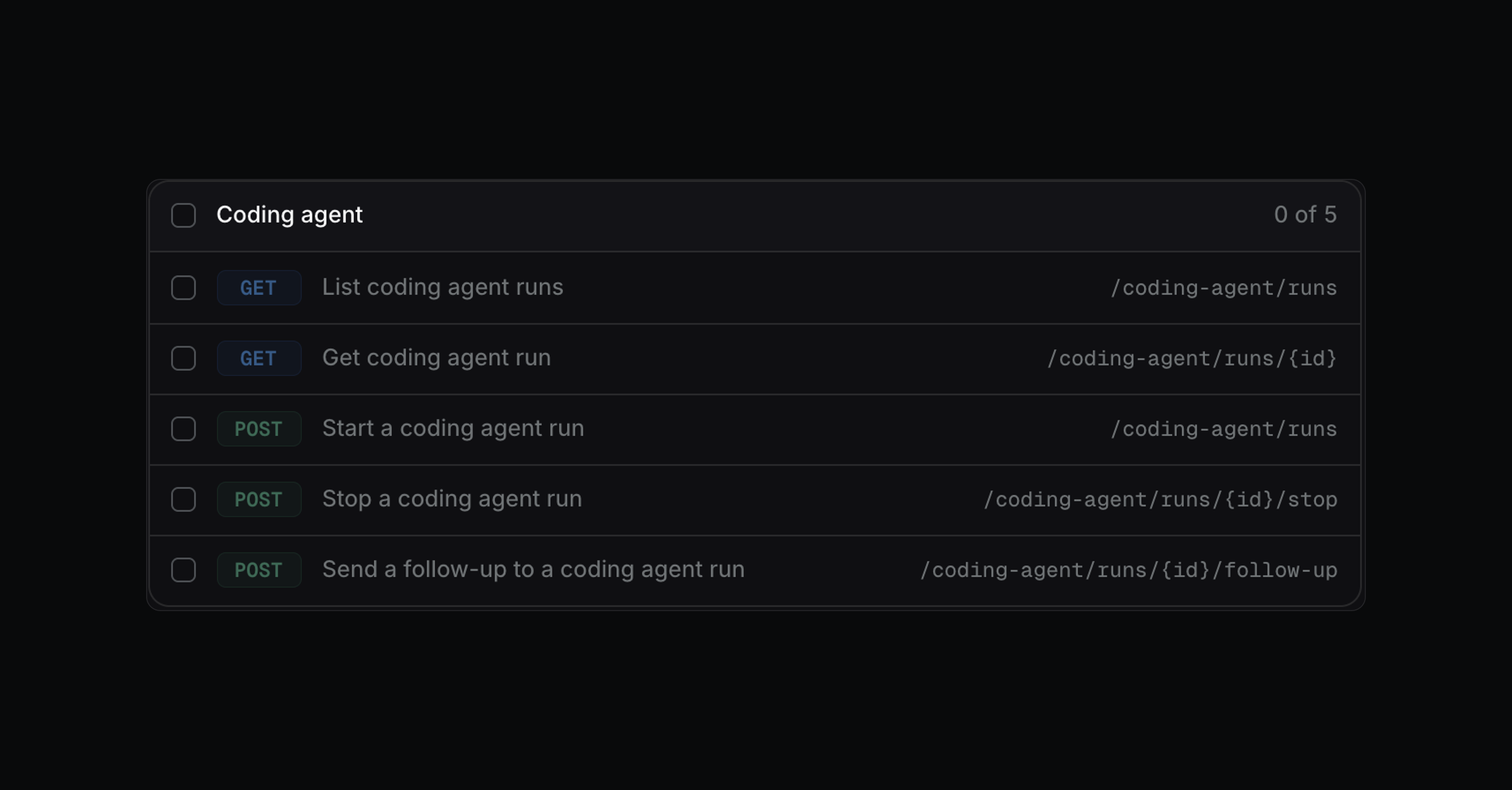
A hidden page leaves the sidebar and the search, and its address returns a 404. Check the box again to bring it back.
Your spec can also decide:
x-internalorx-excludedon an operation leaves it out entirely.x-hiddenkeeps the page at its address but out of the sidebar, for endpoints you share by link.
Keep it in sync
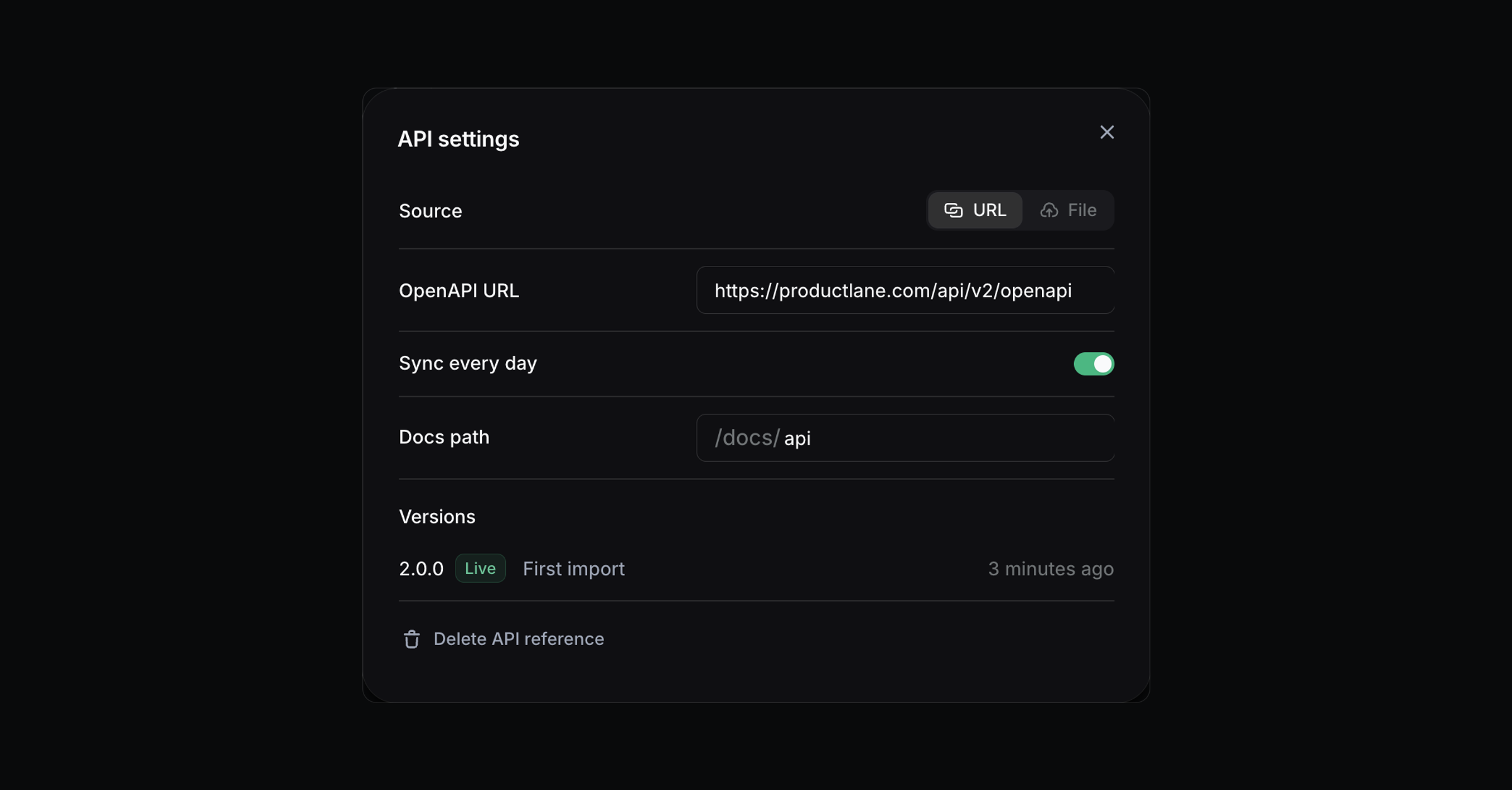
With a URL source and Sync every day on, Productlane fetches the spec early each morning, Central European time. Sync now fetches it right away.
Changes that only add something publish on their own, like a new endpoint or a new optional field. A change that could break an integration waits for you, like a removed field or a parameter that became required. So does a sync that removes more than a fifth of your endpoints. The page then shows which changes it held back, and you get a notification. Readers keep the previous version until you click Publish anyway.
If a sync fails, readers keep the last published version. The page shows the error with a button to edit the source.
A file source updates when you upload a new file in Settings.
Restore an earlier version
Settings lists the live version and the three before it. Each row says where it came from, like the first import, a daily sync or a file upload. Click Restore on a row to publish it again.
Add guides next to the reference
The API tab can hold your own articles too, like authentication or rate limits. Open a group's ... menu in the sidebar, choose Move to tab, then pick the API tab. Its articles show above the endpoints.
If the tab starts with a page that sits outside any group, /docs/api opens that page instead of the overview.
Change or remove the reference
Settings on the API reference page changes the source, the URL, the daily sync and the docs path. Saving a new URL syncs it right away.
Delete API reference at the bottom of Settings takes every endpoint page offline. Groups you moved into the tab go back to Documentation. You can import the spec again later.
Admins and members can change an API reference. Viewers can read it in the editor.
Common questions
Can readers send requests from the page?
No. Each endpoint page has code samples in cURL, JavaScript and Python to copy into a terminal or a project.
My spec is Swagger 2.0. What do I do?
Convert it to OpenAPI 3.0 or 3.1 first. Most API frameworks can export OpenAPI 3 directly, and open source converters handle the rest.
Why does Check spec say the URL returned a web page?
The link points at a rendered docs page, not the spec itself. Link the raw JSON or YAML file instead, like https://api.example.com/openapi.json.
How large can the spec be?
Up to 20 MB and 3,000 operations.
Can I set up the reference through the API?
Not yet. Create and sync the reference from the docs editor. The v2 API can list, rename, reorder and publish tabs, including the API reference tab.