
Turn on Create Linear issues from agent chats and Productlane's AI files a Linear issue for the customer when it recognizes a bug report or a feature request. It works in chats with the Productlane Agent and in AI replies over email, Slack, and Microsoft Teams.
A customer starts a chat in your widget or support portal.
The customer describes a bug or a feature request. The Agent recognizes it and creates a Linear issue for them.
The issue goes to your default Linear team with a short title, a description drawn from the conversation, and a priority: Urgent, High, Medium, Low, or No priority. Urgent is reserved for production outages, data loss, and security issues.
The issue links back to the customer's thread in Productlane, so you know who reported it.
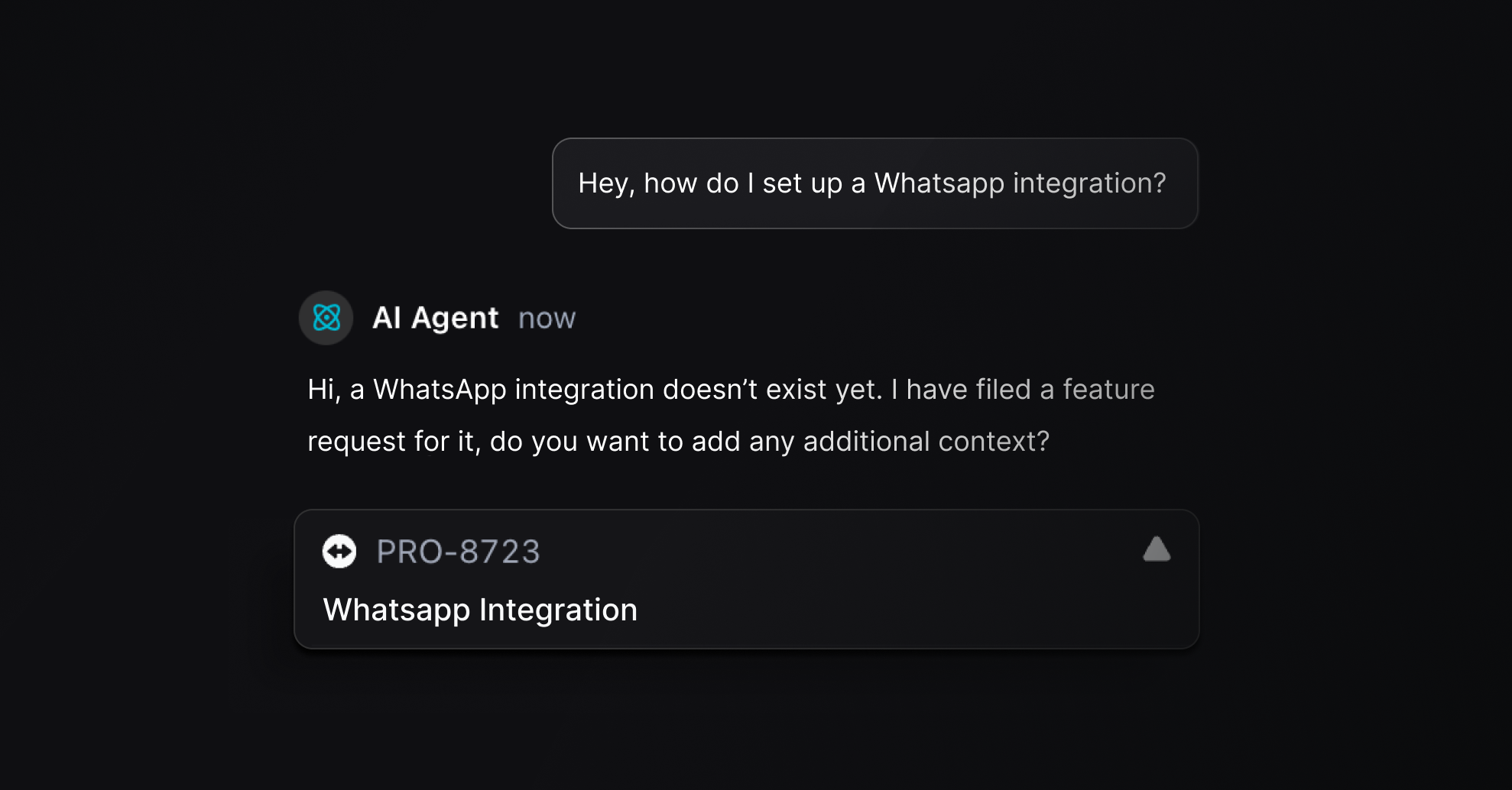
Create a Linear issue from a bug report or feature request.
Link the conversation to an existing Linear issue or project that already matches, instead of creating a new one.
Edit the title or description of an issue it created.
Set importance on the linked request.
Archive an issue it created by mistake.
The Agent can edit or archive only the issues it created in the same chat. Issues that already existed stay untouched.
When the Agent links a conversation to an existing issue, the customer sees only the issue's identifier and status. An existing issue can hold another customer's report, sometimes with their name or email, so the Agent describes the problem in this customer's own words instead. A linked roadmap project is different: its name and description come from what you publish on the roadmap, so they show as they are.
Each issue the Agent creates or links, and each project it links, appears on the thread's activity timeline.
The same setting covers the AI's replies on the channels you deploy the Agent to. When a customer reports a bug or asks for something the product cannot do, the AI logs a Linear issue as well as answering.
It checks what the thread already logged before creating anything, so a follow-up message does not create a duplicate.
It can only create issues. Editing, unlinking, archiving, and setting importance stay with your team.
Every issue links back to the thread it came from.
The reply tells the customer their request was logged, with no issue tracker, issue id, or tool name in it.
It says the request was logged only after the issue exists. If creation fails, it says a person will follow up.
With the setting off, the AI never claims to have logged or tracked a request. It says a person will follow up.
A reply never repeats the stored title or description of an issue, since that text can belong to another customer's report.
Pick the channels under Deploy on the Productlane Agent settings page.
Linear connected, with a default team selected in the Linear integration settings
The Starter plan or above
Go to Settings > AI > Productlane Agent.
Turn on Create Linear issues from agent chats. It appears once Linear is connected.
Issues start in your default team's Triage state, or Unstarted or Todo if the team has no Triage. Your team prioritizes and assigns them as usual, and each issue links back to the customer's conversation.
To file an issue for every new thread instead, use Auto-create issues in the Linear settings.
