When you publish a changelog or send an update from a project or issue, the widget notifies contacts in your app. The publish and send-update modal shows this as "Notify contacts via the in-app widget", which is always on.
To stop the widget popup, click Widget settings in the modal, or go to Settings → Widget, and turn off changelog notifications. The Widget article covers the disableChangelogNotification option for hiding it per user.
A Slack broadcast posts your changelog into your customers' Slack channels when you publish it. Customers read the update in the channel where they already talk to you.
Connect Slack under Settings → Integrations → Slack.
Invite the Productlane bot to each channel that should get updates.
Slack broadcasts need the Pro plan or higher.
Productlane posts to every channel the bot is a member of, public or private. That includes shared Slack Connect channels with customers, plus any internal channel you added the bot to. To leave a channel out, remove the bot from it.
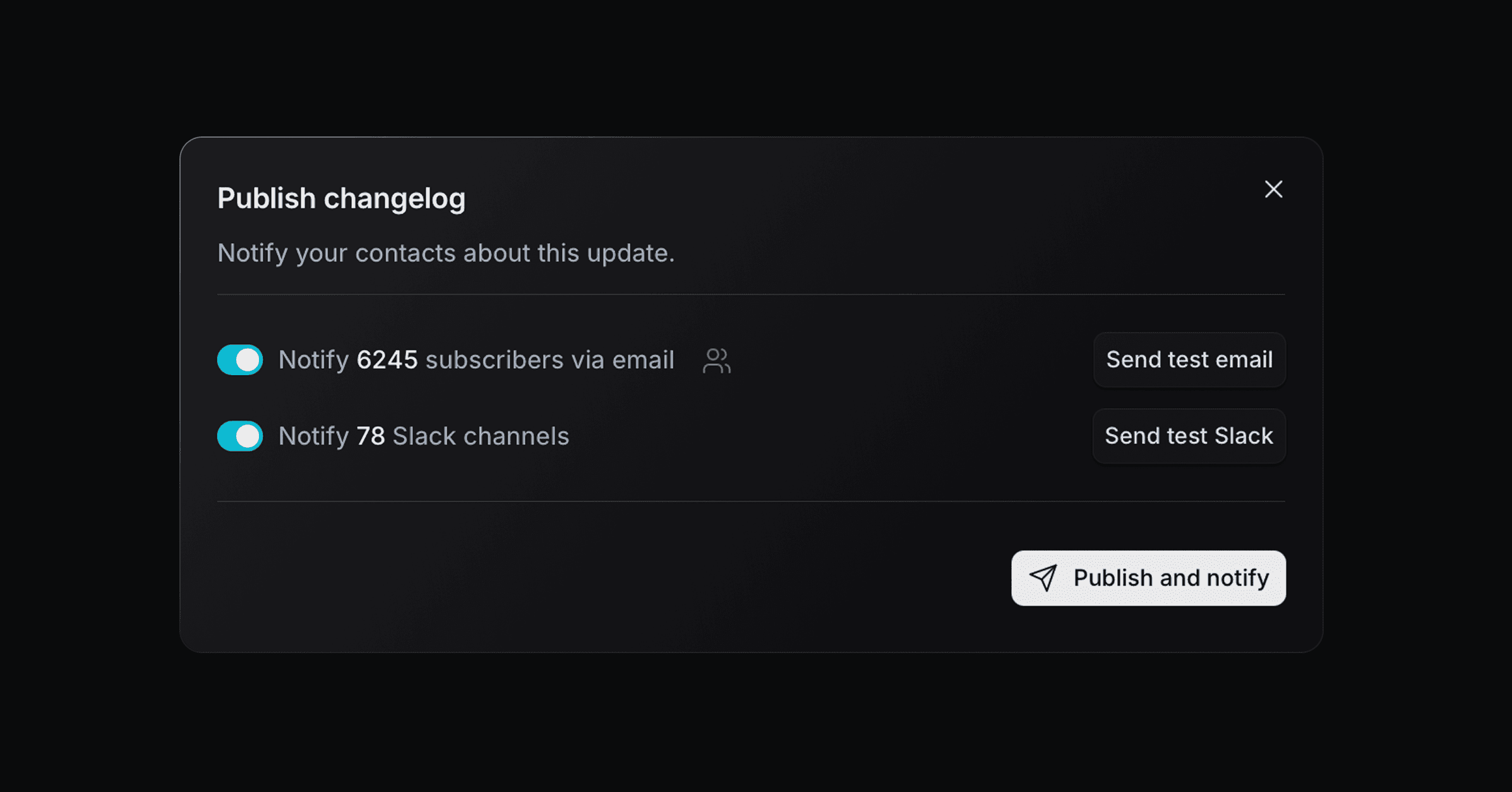
The publish modal shows how many channels get the post. Check that number before you publish.
Click Publish on a changelog.
Turn on Notify N Slack channels.
Click Send test Slack to see the post in your notification channel first.
Publish. Productlane posts to every channel about 10 seconds later.
Slack broadcasts work for changelogs. Updates on projects and issues go out by email and the widget.
Each post shows:
The changelog title and date.
The cover image, unless the body has a video.
The changelog text, up to the first image or video in the body.
A button that opens the full changelog on your portal.
Slack shows the text up to the first image or video, so put the main points above it. Readers open the portal for the rest.
When the body has a video, Productlane uploads the first one to each channel as a file, right after the post. Other images and videos stay on the portal.
The post carries your workspace name and logo, or your portal's. See Sender name and logo below.
Send an email when you publish a changelog, or when you update an issue or project. Pick who gets it: everyone who gave feedback or upvoted, or every contact in the workspace. Emails go out from your support address, and recipients can unsubscribe at any time.
Click Publish on a changelog, or Send update on a project or issue, to start. The email switch in the publish dialog starts off for changelogs when Email notifications is off under Settings → Changelog. You can still switch it on for a single post.
The sender name in the send-update modal defaults to your workspace name, and the email uses your workspace logo.
With Multiple Portals, a changelog, project, or issue assigned to a named portal defaults to that portal's name instead, and uses the portal's logo when it has one. Customers on that portal know it by that name.
A sender name you type in the modal always wins.
Email and Slack show only the first image of an image gallery, since neither can render a carousel. Readers open the changelog on your portal or in the widget to see the rest. See Editor components.
