
Overview
A thread can move to Completed without a teammate clicking anything. This is expected behavior, not a bug: Productlane closes the loop automatically in a few specific situations. This article lists every automatic trigger and how to trace which one fired on a given thread.
What closes a thread automatically
1. The Productlane Agent resolves the conversation
When a customer confirms the Productlane Agent's answer solved their problem, the agent marks that thread Completed itself. This works in the widget, live chat, email, Slack, and Microsoft Teams. No teammate is involved.
The customer has to say it worked, for example "works now" or "found it". A plain "thanks" for an answer they haven't tried yet leaves the thread open.
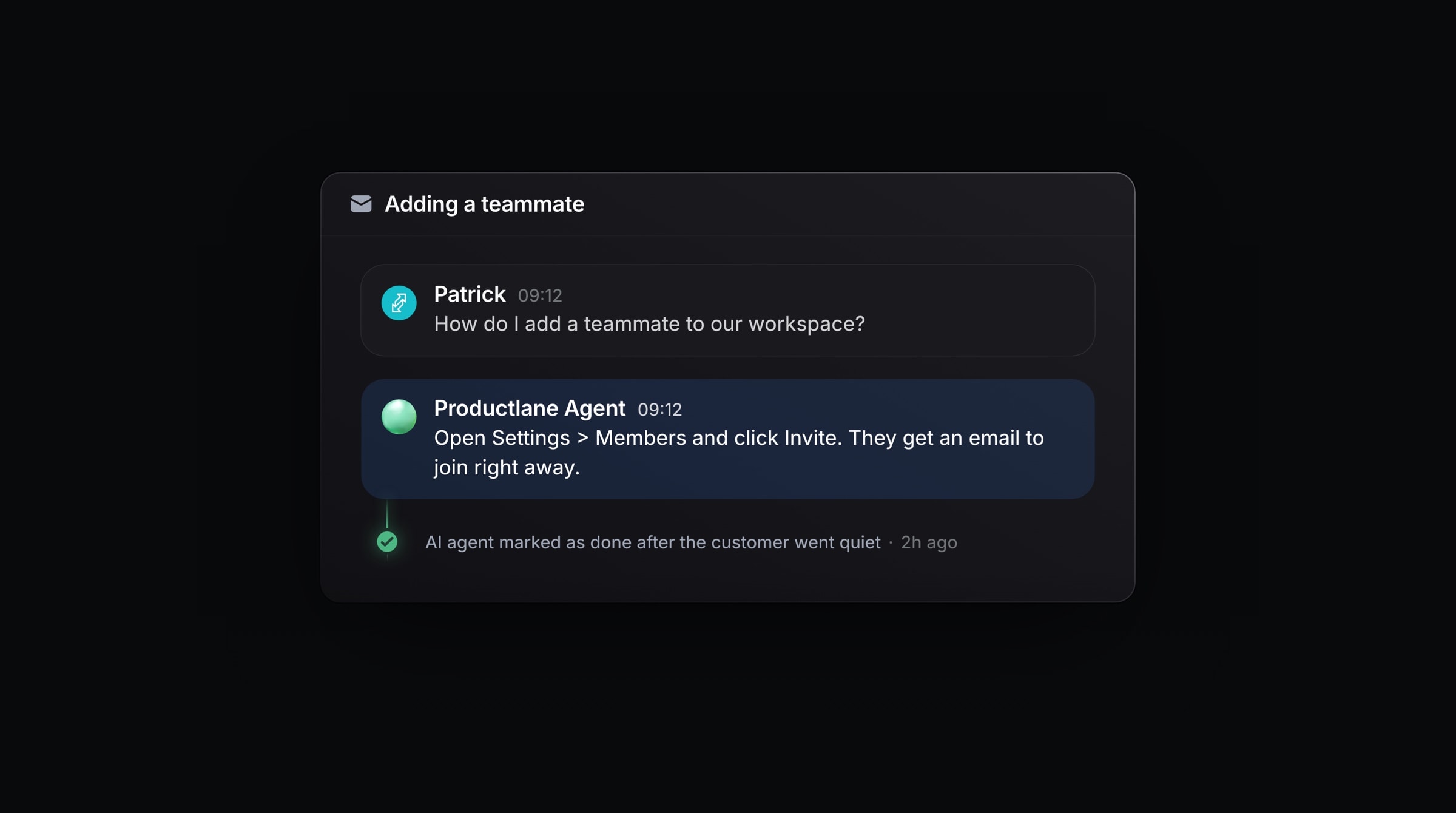
In live chat, the agent also marks the thread done when the customer goes quiet for 24 hours after its answer. This applies only when nobody is assigned and the customer never asked for a person. The customer sees a line in the widget saying the thread was resolved, and a reply reopens it.
On email, Slack, and Microsoft Teams, 24 quiet hours count the answer as a resolution, and the thread stays where it is. See AI Usage & Credits.
This only happens when the Agent does not hand the conversation off. A handoff behaves differently:
If a customer asks for a person, or the Agent can't resolve the conversation confidently, it hands the thread to your team instead.
A handed-off thread stays open. Productlane does not mark it Done, so it keeps showing up in your open-thread views until a teammate handles it.
So if a thread closed with no agent reply in it, the most common cause is the Productlane Agent resolving it on its own. See Productlane Agent.
2. A linked Linear issue completes
If a thread is linked to a Linear issue and that issue is marked Completed in Linear (or in Productlane), the thread is automatically marked Completed too, whether or not anyone replied to the customer first. See Linear.
3. A linked roadmap project completes
The same happens when a thread is linked to a roadmap project: marking the project Completed automatically marks every linked thread that wasn't already Completed as Completed as well.
Note: Only threads that were not already Completed get affected when a project completes. This avoids reprocessing threads that are already closed.
When a completed thread reopens
A new message from the customer reopens a Completed thread on any channel. The thread moves back to New, shows as unread, and notifies your team. A snoozed thread wakes the same way.
A customer's emoji reaction on a Slack message does not reopen the thread. Productlane shows the reaction on that message and notifies the assignee, and the thread keeps its state.
If you deleted a thread, a new customer message brings it back. A thread you merged into another one stays gone, and the conversation continues on the thread it was merged into.
How to investigate an unexpected closure
Open the thread's activity timeline. Automatic actions are recorded there, for example:
AI Agent handed this conversation to the teamif a handoff happened instead of a close.AI agent marked as done after the customer went quietif the agent closed a quiet live chat.AI Agent ran N actionsif the Agent took several actions in a short stretch before resolving the conversation. Expand it to see each one, and whether any failed.
Check whether the thread is linked to a Linear issue or a roadmap project. If it is, open that issue or project in Linear and check its status. A status of Completed there is what closed the thread, not a teammate action in Productlane.
Look for an AI-drafted close-the-loop message. If "Send close-the-loop drafts" is enabled, a short AI-written follow-up telling the customer their request is handled lands in the composer whenever a thread completes this way. See Close-the-loop drafts. If that draft is sitting unsent, the thread closed before anyone reviewed it.
If none of these explain a closure, reopen the thread and escalate it with the thread link so the specific automation that fired can be traced.
Related settings
Setting | Where | Effect on closing |
|---|---|---|
Productlane Agent |
| Lets the Agent resolve and close chats itself instead of only drafting |
Send close-the-loop drafts |
| Adds a follow-up draft whenever a thread completes, it does not control whether the thread closes |
Linear issue/project sync |
| Completing a linked issue or project closes the linked thread |