Productlane receives email through forwarding: your mail provider sends a copy of every message for your support address to your Productlane intake address. Find the intake address under Settings > Email, on each address's page. The steps below are for Google Workspace. Other providers have a similar forwarding or routing rule.
Open your Gmail routing configuration
Find it here: https://admin.google.com/u/0/ac/apps/gmail/defaultrouting
Add a new routing rule
Under "Default routing" click CONFIGURE or ADD ANOTHER RULE.
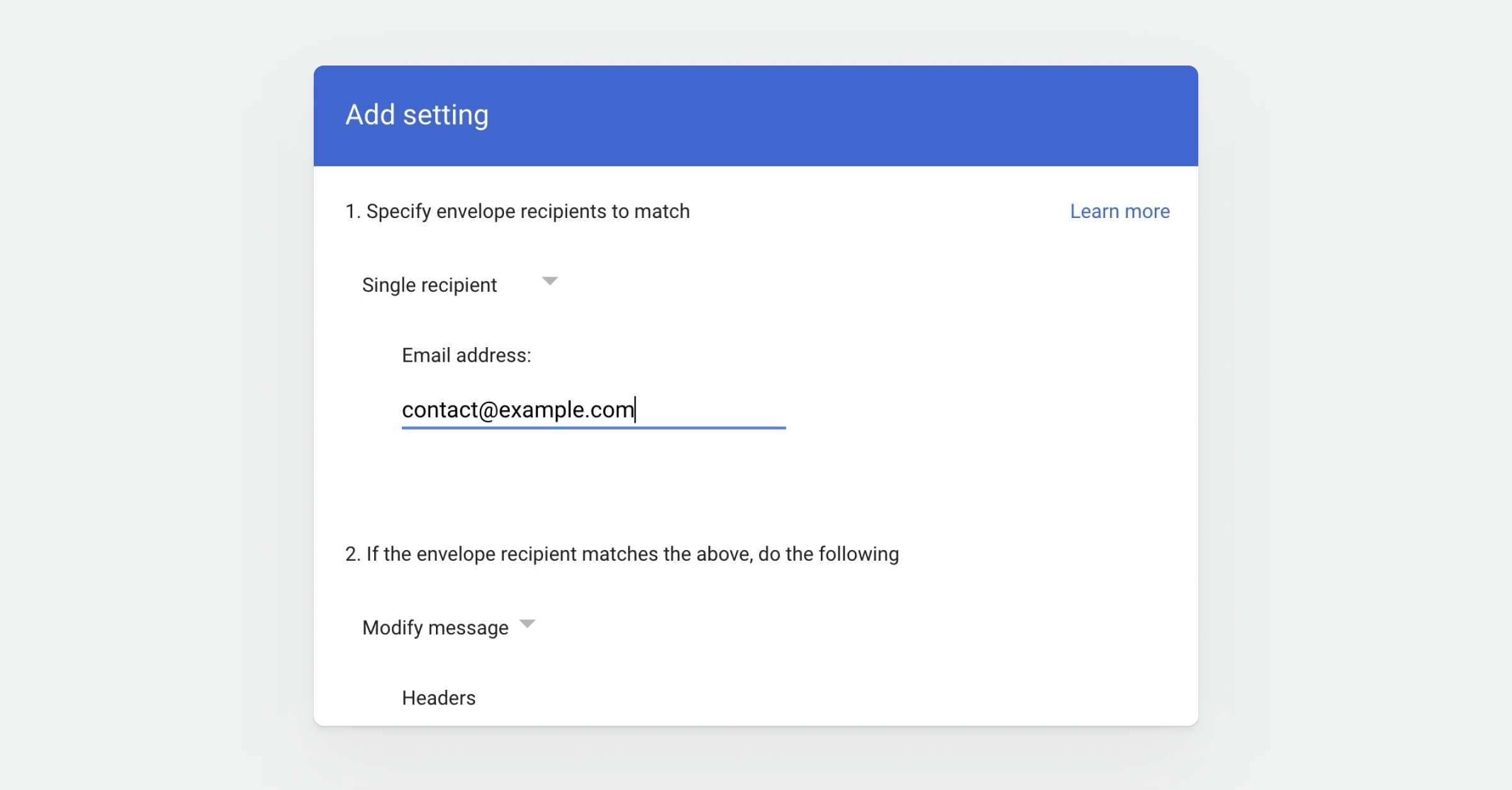
Set the recipient
In the dropdown, select Single recipient and fill in your support email address under Email address.
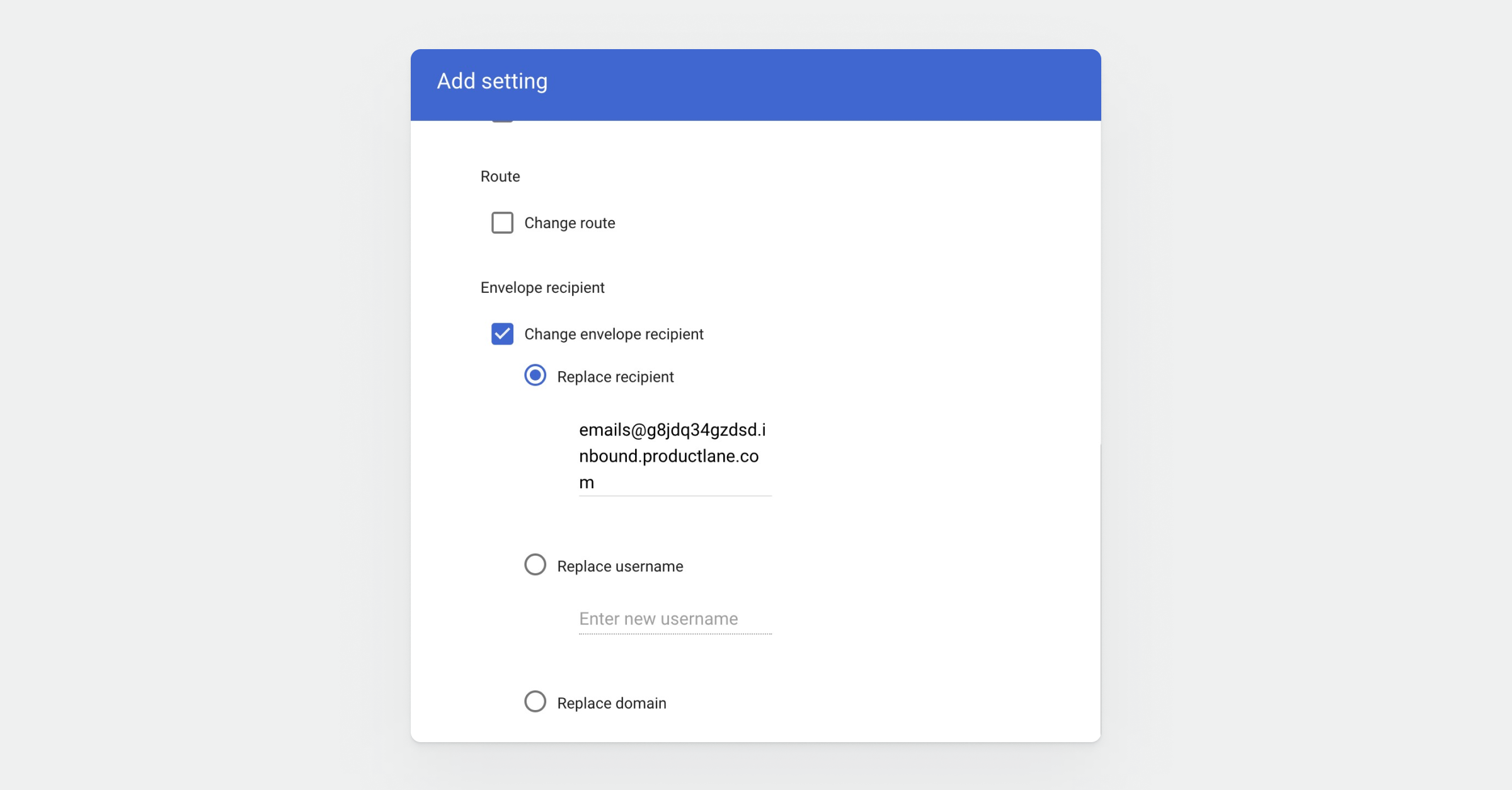
Override recipient
Check the box Change envelope recipient, then choose Replace the recipient and paste your intake address from Productlane ([email protected]). You can find it under Settings > Email
Apply to all addresses
Scroll further down, and choose Perform this action on non-recognised and recognised addresses.
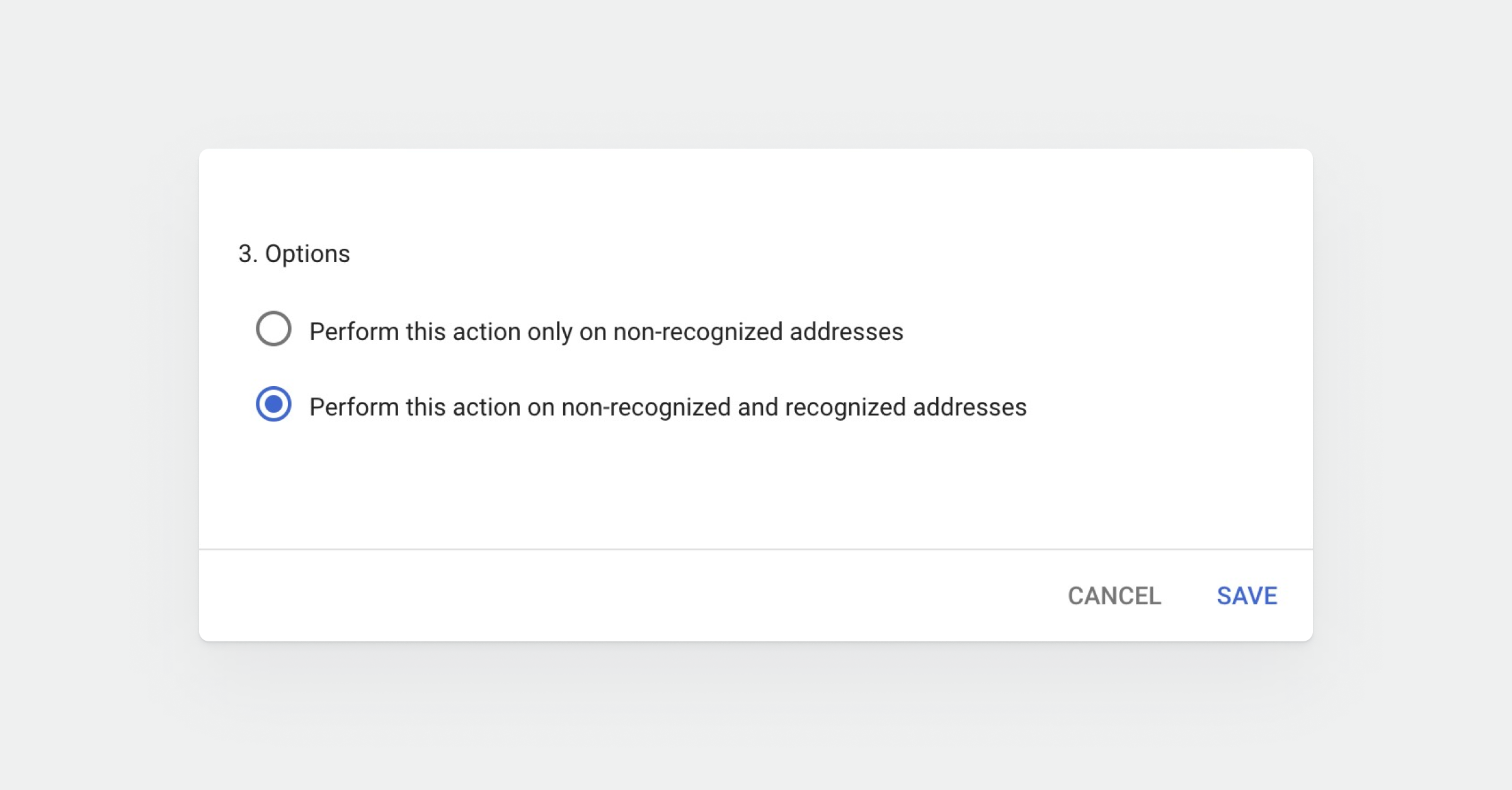
Save
Click Save. Email sent to your support address now arrives in Productlane.
